Best Free Linktree Alternatives (2026): 5 Tools Compared
We read every tool's own pricing page on November 8, 2026 and used only what it says there. Linktree facts come from linktr.ee/s/pricing the same day. Prices change, so check the tool's site before you pay.
Linktree has been around for a long time, and it still does the basics well. But there are lots of modern tools with great design, analytics and other features that are worth a look, and several of them have free plans or trials.
Here are five to consider: ProfileLinkHub, Bio Sites, Lnk.Bio, Liinks and Later. For each one you'll see what you get, what it costs and who it suits.
Quick comparison
| Tool | Free option | Paid plans | Best for |
|---|---|---|---|
| ProfileLinkHub | Every feature free for 30 days, no credit card | $5/month, $48/year ($4/month), or $109 once | Pages that guide visitors to one click, with clear analytics |
| Bio Sites | Free to create and launch, unlimited links | Not listed on its home page | Selling products and taking bookings from your page |
| Lnk.Bio | Free plan: unlimited links, QR code, 3 pages | $0.99/month, $24.99 once, or $89.99/year | Instagram-first pages with many embeds and templates |
| Liinks | No free plan: build free, then a 14-day trial | $5/month (Starter), $12/month (Pro) | Instagram-synced pages with tabs and folders |
| Later | Advertises a free link in bio; pricing page lists it in paid plans | From $18.75/month billed yearly, 14-day trial | People who already schedule posts with Later |
Why look beyond Linktree's free plan?
Linktree's Free plan is $0 with no time limit, but Linktree branding stays on your page, analytics cover only the last 28 days, and SEO settings, Google Analytics and custom backgrounds need the Pro plan at $14 a month billed annually. If one of those is a problem, these five tools are worth a look.
1. ProfileLinkHub: for pages that guide visitors to one click
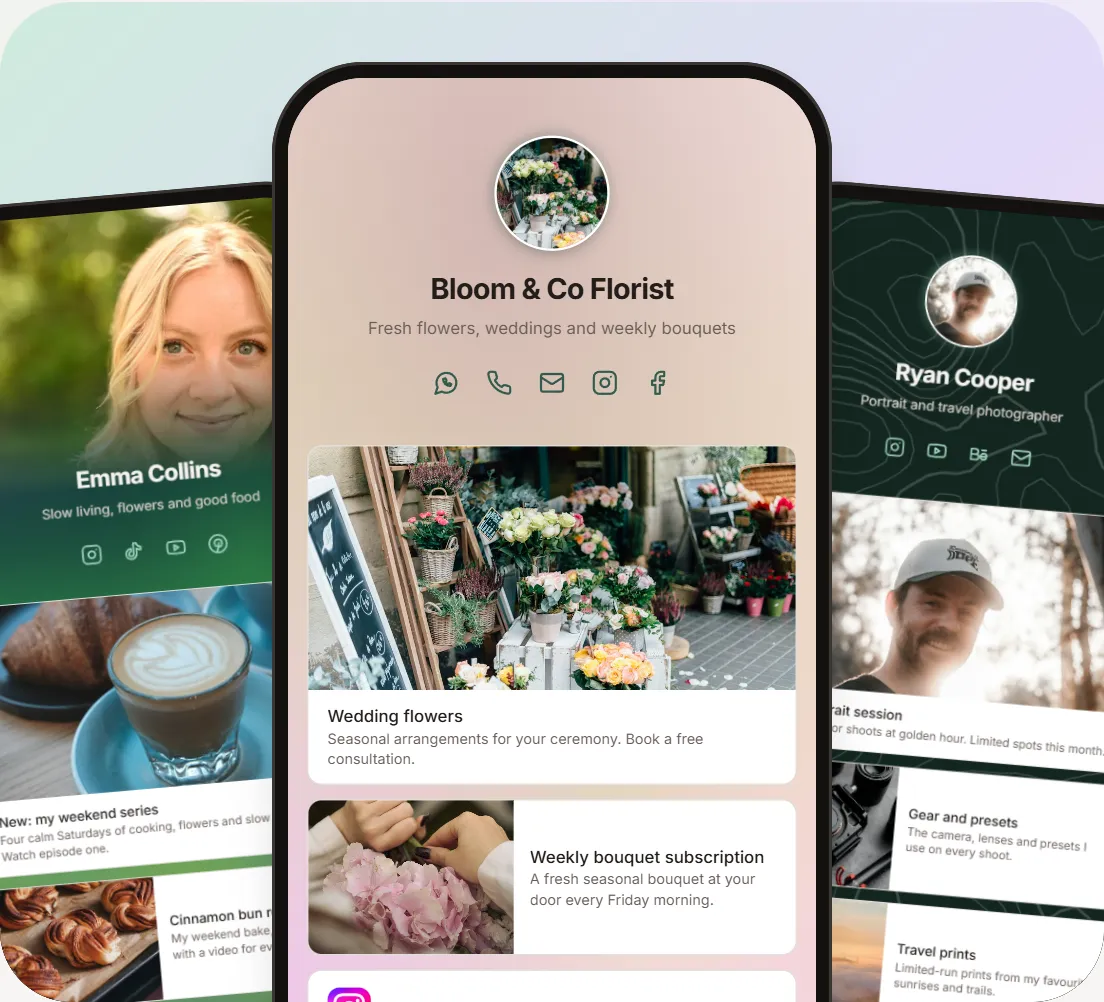
ProfileLinkHub is a link in bio page built to point visitors at your best link first, instead of showing a wall of identical buttons. Sign in with Google or LinkedIn, add your links, and share one address in your Instagram, TikTok, YouTube or LinkedIn bio.
Free plan: there is no permanent free plan. Every feature is free for 30 days, no credit card needed. After that it is $5 a month, $48 a year (about $4 a month), or $109 once for lifetime access.
What you get:
- Three link sizes. Small is a clean row with the website's own icon, Medium adds a picture on the left, and Large puts a full-width picture on top.
- Backgrounds you can shuffle. Pick a style such as Aurora, Mesh, Bokeh or Topography, then press Shuffle for a new random layout.
- Source and target analytics. Page views, unique visitors, link clicks, clicks per view, top sources, views by day of week and clicks by link.
- No ads and no ProfileLinkHub branding on any plan, plus unlimited links.
Where it falls short: after the 30 days you have to pay to keep the page live. If you need a permanent free plan, pick Bio Sites or Lnk.Bio below.
Best for: creators, professionals and small businesses who want a page that stands out and shows where clicks come from. See ProfileLinkHub pricing or how to create your link in bio page.
2. Bio Sites: for selling from your page
Bio Sites is made by Squarespace. Its home page says a Bio Site is "100% free to create and launch", with no limit on links, and you don't need a Squarespace subscription.
Free plan: yes. You can create up to 10 Bio Sites with one account, each with its own analytics.
What you get: a drag-and-drop editor with templates, selling through Stripe or PayPal (digital products, bookings, tips and affiliate links), email and phone number capture, an automated email sequence builder, and built-in analytics.
Where it falls short: its home page doesn't list paid plans or say whether branding can be removed, so check before you build your page there. Payments go through Stripe or PayPal, which charge their own fees.
Best for: creators and small businesses whose main goal is selling or booking from one link.
3. Lnk.Bio: for Instagram-first pages with many embeds
Lnk.Bio has a free plan that includes unlimited links, embedded music and video, a map, basic statistics, 147 embed services, 19 integrations, 577 free templates, a QR code and 3 pages. Its FAQ says you log in via Instagram to get your address.
Paid plans: Mini is $0.99 a month, Unique is a one-time $24.99, and Ultra is $89.99 a year. Lnk.Bio lists "No Lnk.Bio Logo in profile" under the Unique plan, so expect its logo on Free and Mini. A custom domain is a $39.99 a year add-on.
Where it falls short: advanced analytics, scheduling and password-protected links start on the paid Mini plan, and the free page carries the Lnk.Bio logo.
Best for: Instagram-first creators who want embeds, templates and a QR code on a free plan, and don't mind the Lnk.Bio logo.
4. Liinks: for Instagram-synced pages (not free)
Liinks turns your link in bio into a small website with tabs, folders and forms. It can pull your photo, bio and recent posts from Instagram, and it can import a Linktree page from its URL.
Free plan: there isn't one. Liinks says you can build your whole page for free, and every plan starts with a 14-day free trial. Starter is $5 a month and Pro is $12 a month, which adds a custom domain and multi-profile management.
Where it falls short: no permanent free plan, and a custom domain needs Pro.
Best for: Instagram-first creators who want a page that updates itself and don't mind a small monthly fee.
5. Later: for people who already use Later
Later is a social media scheduling tool with a link in bio feature. Its link in bio page says you can claim a free link in bio, but its pricing page lists Link in Bio inside paid plans that start at $18.75 a month billed yearly, with a 14-day free trial. We couldn't confirm a permanent free tier, so treat it as trial-based until Later confirms.
What you get: custom buttons and backgrounds, a featured banner, a Mailchimp integration, your own SEO title and description, up to five links on each Instagram, TikTok or Snap post, and click tracking. Scheduled posts can update your link in bio automatically.
Where it falls short: it is built around scheduling, so you pay for the whole scheduler.
Best for: teams and social media managers already scheduling posts with Later.
Which free Linktree alternative should you choose?
- You want a page that stands out and clear analytics: ProfileLinkHub, free for 30 days.
- You want to sell or take bookings for free: Bio Sites.
- You want a free plan with many embeds and templates: Lnk.Bio.
- You want an Instagram-synced mini website: Liinks (paid after the trial).
- You already schedule posts with Later: Later's link in bio.
Writing for LinkedIn? See our LinkedIn link in bio guide and the best link in bio tools for LinkedIn creators.
Frequently Asked Questions
What is the best free Linktree alternative?
It depends on what you need. Bio Sites is free to create and launch and is built for selling, Lnk.Bio has a free plan with many embeds and templates, and ProfileLinkHub gives you every feature free for 30 days, with no ads or ProfileLinkHub branding on any plan.
Which Linktree alternatives have a permanent free plan?
Among these five, Bio Sites says it is free to create and launch, and Lnk.Bio has a free plan with unlimited links, a QR code and 3 pages. ProfileLinkHub, Liinks and Later offer free trials instead (30, 14 and 14 days).
Do free link in bio tools put their own branding on your page?
Some do. Linktree Free keeps Linktree branding, and Lnk.Bio removes its logo only from its one-time $24.99 Unique plan. ProfileLinkHub shows no ProfileLinkHub branding on any plan.
Is Linktree free?
Yes, with limits. Linktree Free is $0 and includes unlimited links, a QR code and 28 days of analytics. SEO settings, Google Analytics, custom backgrounds and removing Linktree branding need the Pro plan, $14 a month billed annually. See what Linktree's free plan includes.
Can I move my Linktree page to another tool?
Liinks says you can paste your Linktree URL when you sign up and it brings over your links, social icons, photo and bio. With other tools you add your links again, which usually takes a few minutes.
Ready to try it? Create your professional link page →